An interactive trading terminal for your brokerage account.
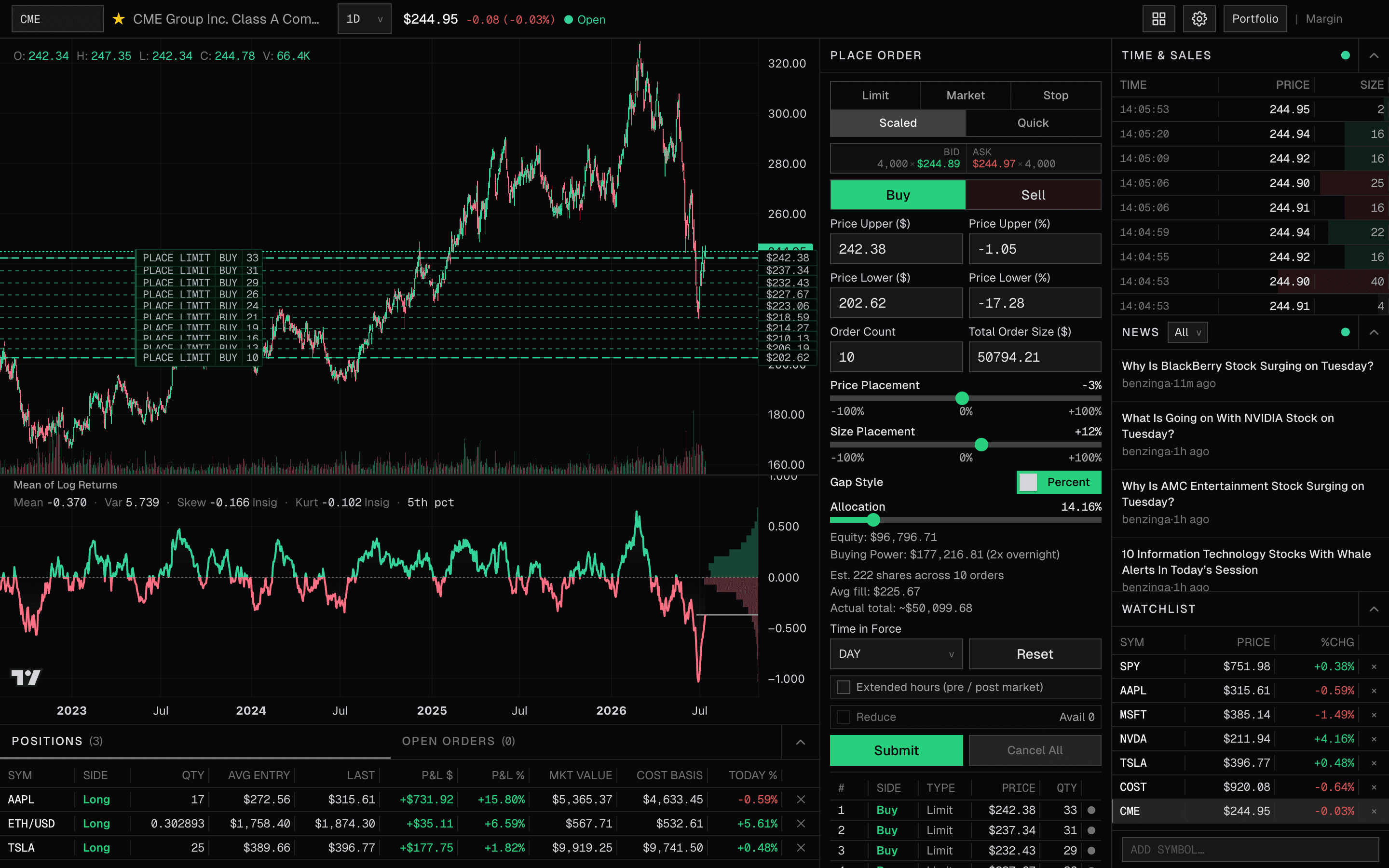
Manage your stock and crypto positions, place and adjust orders, and monitor your account and market activity from one interactive workspace.
Connection availability is limited to supported brokerage integrations.
TERMINAL WORKSPACE
Tools for position sizing, order placement, and management.
01
Trade from the chart
Preview supported orders against the chart, adjust price levels, and manage open orders and positions without changing views.
02
Build or reduce a position gradually
Distribute price and size across multiple limit orders within a defined range rather than committing the full order to one price level.
03
Reuse order configurations
Save market or scaled configurations, preview the result, and confirm before submitting.
04
Control order size
Size an order as a percentage of available buying power or enter a quantity directly.
HOW IT WORKS
Start with an eligible brokerage account.
01
Create your Drakonsynth account
Sign up with your email or Google account.
02
Link your brokerage account
When connection access is available, follow the supported integration flow for your eligible account.
03
Open the terminal
Review your account context and submit supported orders from one workspace.
Bring supported brokerage account context into one workspace.
Size and manage positions, place and adjust supported orders, and monitor your account from one connected workspace.